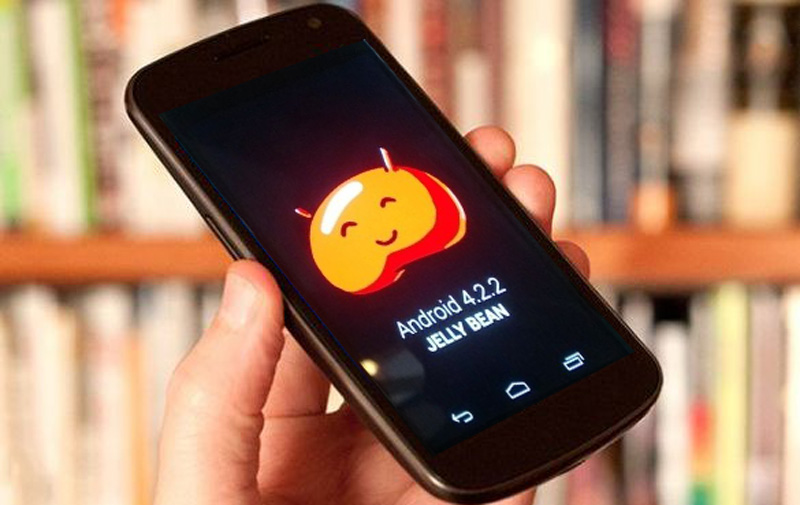
Android 4.2.2 rolling out to Nexus devices

Android 4.2.2 rolling out to Nexus devices

Android 4.2.2

[Img src:”thedroidguy.com”]

Google has started rolling out the Android 4.2.2 update for nexus devices, namely the Galaxy Nexus, Nexus 4, Nexus 7 and Nexus 10. The Nexus devices are a line of devices which run stock Android and hence are at the bleeding edge of updates. Other manufacturers like Samsung and Sony overlay their own skins on their devices which further delays the updates to their users. This update is basically a bug fix but it does bring some slightly new features along with it.

 Quick settings toggles

The major fix is for Bluetooth which was previously quite buggy and unable to connect to other devices. Apart from this, downloads from the Play Store now show an estimated time remaining for the download to finish in the notifications. Secondly, the quick settings toggles which was introduced in Android 4.2 has a few long pressable buttons. The WiFi and Bluetooth toggles can be long pressed to open up the respective settings menu. Other updates include new notifications sounds for wireless charging and low battery alerts. There are also a few security fixes included in this update.

Overall this update serves to be a minor bug fix until the next major iteration of Android is released. This will probably be Android 5.0, rumored to be code named “Key Lime Pie” and will be unveiled at this years Google I/O conference in May. Do you own a Nexus device? Have you received the update yet? Share your thoughts on it with us in the comments below.

Check out the various Nexus devices offered by Google.

You can connect with us here – TECHDIVINE CREATIVE SERVICES on Facebook — Twitter— LinkedIn — YourSMQ on LinkedIn — Google Plus —- Slideshare — Android App.

Related Posts :

Foursquare updates Android app with new UI & layout
Foursquare updates Android app with new UI & layout

Foursquare Android app

Foursquare has updated their mobile app for Android with some big changes to the UI and layout. The update is focused around three main changes as listed below.

Foursquare Explore

The first major change is to the “Explore” tab. It can now be found via a persistent search bar at the top of the app. You can tap and input a search option for food, hotels or search by the provided categories. Alternatively, you can also tap on “Best Nearby” to discover interesting places around you.

Foursquare Map

The second major change you will find as soon as you open the app is the map at the top. Tap on this map to expand  it and explore other places nearby or find your Foursquare friends who might have checked in close by. You can zoom in or out and explore the map to find suggestions for places based on your interests.

Foursquare Menu

Finally, users will no more have to swipe through the app as all options have been consolidated in a drawer which can be revealed by clicking on the Menu button on the top left of the screen. You can access your profile, edit your lists and change your setting easily from this drawer. Apart from these changes, one other major change is that the “Check-In” button which used to reside in the top right of the screen has been moved to its diagonally opposite corner. This button is now situated at the bottom left corner of the app.

These updates will be rolled out to all users in the following weeks. Foursquare is promising more updates on its blog including an even better personalized map on the home screen. Overall this update promises smoother search, easy maneuverability, the ability to quickly  find friends and consolidated settings among others. What are your first impressions about this update? Share your views in the comments below.

Download the Foursquare Android app from the Google Play Store.

[Img srcs:”Foursquare Blog“]

You can connect with us here – TECHDIVINE CREATIVE SERVICES on FacebookTwitter — LinkedInYourSMQ on LinkedInGoogle Plus —- Slideshare — Android App.

Related Posts :

Subscribe to RSS Feed Twitter @Techdivine