Amazons Kindle for ebooks while on the go

Amazons Kindle for ebooks while on the go

Amazon kindle reader logo

If you love reading books like I do, and travel a lot, which means you can’t carry a lot of books along with you while on the go, then the KINDLE books and app are just what you need.

You can easily buy books from the Amazon store which has a wide range of genres to satisfy and satiate almost every book lover, and download it to the preferred device of your choice.

Reading books is now super easy because you don’t have to carry any bulky volumes along with you. You can have the whole series right in your mobile, tablet or Kindle reader.

All you need to do is register for an Amazon account. When you make your purchase you will be given an option of devices that you have registered on your account. Simply select the device to download to and sync the kindle application on the device. That’s it, you are done!

Get Your Copy of “Kings are made, not just born” on Your KINDLE now. ~Click here to read a sample chapter for FREE.

What’s more, the Kindle device also allows you to get the reader on your Mobile, Tablet, PC/Laptop too. Best part being, it syncs the books such that you continue reading the last read page/section from where you left off on your tablet while you were traveling.

This is no doubt, the biggest advantage of having an Amazon account. Sheer flexibility. You can read an ebook that you have downloaded in your browser, on your iPhone or iPad, almost any Android, Windows 7 or Blackberry device and also on any Windows or Mac computer. Whispersync technology keeps your library in sync on all devices, so you can continue from where you left off on any device.
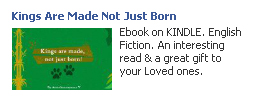
Kings are made not just born Kindle fiction ebook amazon

Kings are made not just born

If you have the Kindle reader, your ebook reading experience is more enhanced with the advanced e-ink display making you feel like you are actually reading a book. The small size and light weight body are added advantages.

What are you waiting for? Go register for an Amazon account today and curl up with a warm cup of coffee and the book of your choice.

Download the Kindle app for your device.

Order the Kindle reader online.

Get KINDLE for your PC Today

 Connect with Us On:

Has Facebook changed the default email id in your account

Has Facebook changed the default email id in your account?

Facebook has recently made changes to the way email ids are displayed in your profile by changing them with a “@facebook.com” id. If you have changed your profile url to read, for eg, http://facebook.com/abc.xyz, where abc.xyz is your name, then your email id will be abc.xyz@facebook.com. Others have been assigned random numbers for now.

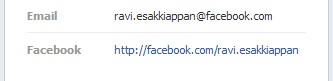
facebook email id

This has probably been done to push their messaging service and make it more visible so that more and more people can use it.  You can attach images and doc files,so it does replace traditional emails to a small extent. But if you are not comfortable using this email id and want to switch back to showing your primary email id or even completely hide your email id,there is an easy way to do it.

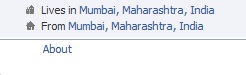
Facebook about section timeline

Edit contact info facebook profile

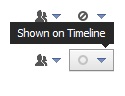
facebook info privacy settings

You could choose to:

Go to your timeline and click on “about” which is right below your profile picture. Then navigate to the “contact info” tab and click on “edit”. You will now be able to set the visibility of your email ids.  You can either set “hide on timeline” or “show on timeline”.

You can circulate this facebook email id to friends and family for personal use,while using your primary email id for professional use. But make note that mails on facebook tend to accumulate away from notice under the “other messages” section. So keep an eye on this section regularly.

Has this feature been rolled out to your id yet? Would you use your facebook id or your primary email id from now on? Share your thoughts with us in the comments.

 Connect with Us On:
Subscribe to RSS Feed Twitter @Techdivine