Facebook reinvents it’s News Feed

Facebook reinvents it’s News Feed

Facebook has announced a completely redesigned News Feed trying to make it more of a “personalized newspaper” and aiming to provide a consistent experience across the  web,on smartphones and on tablets. The News Feed has been revamped to reduce clutter and to allow you to get to stories you want to read as easily as possible.
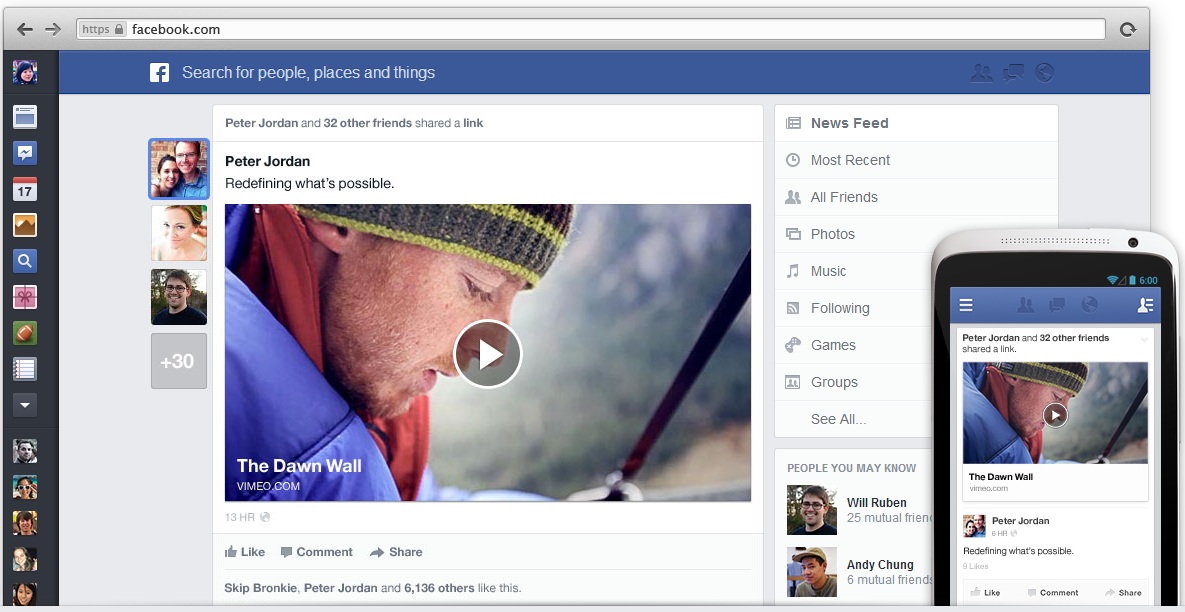
Facebook News Feed

The News Feed is now broken down into content based feeds like Photos, Music, Friends and Pages you might be following. Clicking on Photos will show you all photos or albums that your friends might have shared. Similarly clicking on Music will help you to discover what your friends have been listening to and find which is the most popular song right now. Photos and albums have been blown up in size to better interact on a visual level.  If more than one person has shared something, their profile photos will be shown along the left edge. Hovering over their profile pictures will show if they have added any comment when sharing the link.
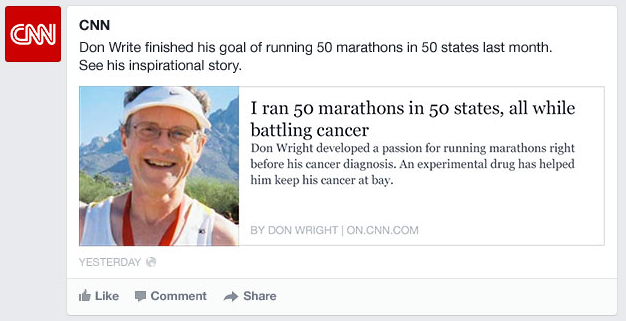
Facebook news feed article summary

Posts about articles and links from websites will also display more information in the summary with larger logos & thumbnails.
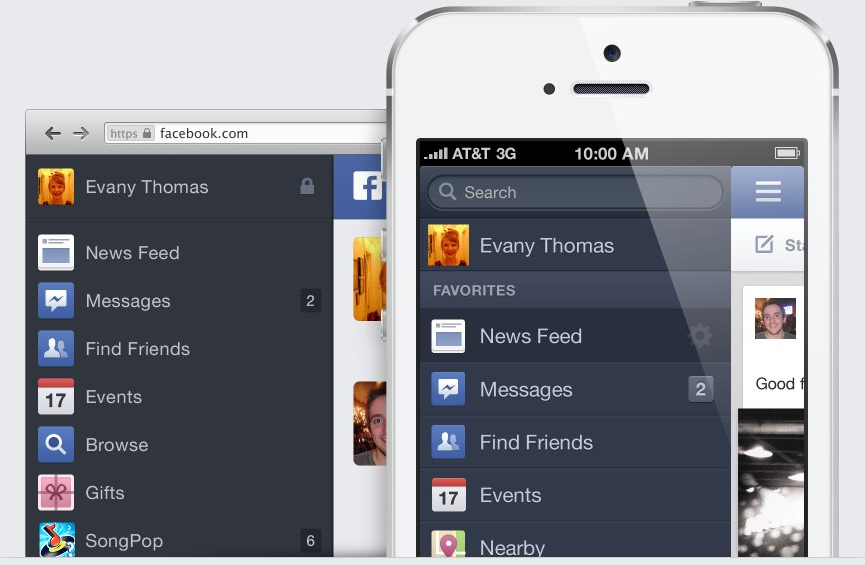
The sidebar on the left hand side that you might have observed when browsing on the mobile web or from the Facebook app on your smartphone is also coming to the desktop version. Posts from third party apps like Instagram and Pinterest will also be given greater prominence in the new timeline.

The new redesign seems to have achieved what the Facebook design team has been aiming for. It does look quite less cluttered and very clean. But it also looks like it has taken inspiration from Google Plus in many places. Google Plus co-incidentally also rolled quite a few changes to user profiles just a day prior to Facebook’s big announcement. These changes will be rolled out slowly over the coming months to all users. But you can expedite that by signing up to be on Facebook’s waiting list here.

What are your thoughts about Facebook’s new clutter free News Feed? Do you think the new design looks better? Let us know your thoughts in the comments below.

You can connect with us here – TECHDIVINE CREATIVE SERVICES on Facebook — Twitter— LinkedIn — YourSMQ on LinkedIn — Google Plus —- Slideshare — Android App.

 Related Posts:

Related Posts:

Google Plus updates with huge cover photos and visual changes to profiles

Google Plus updates with huge cover photos and visual changes to profiles

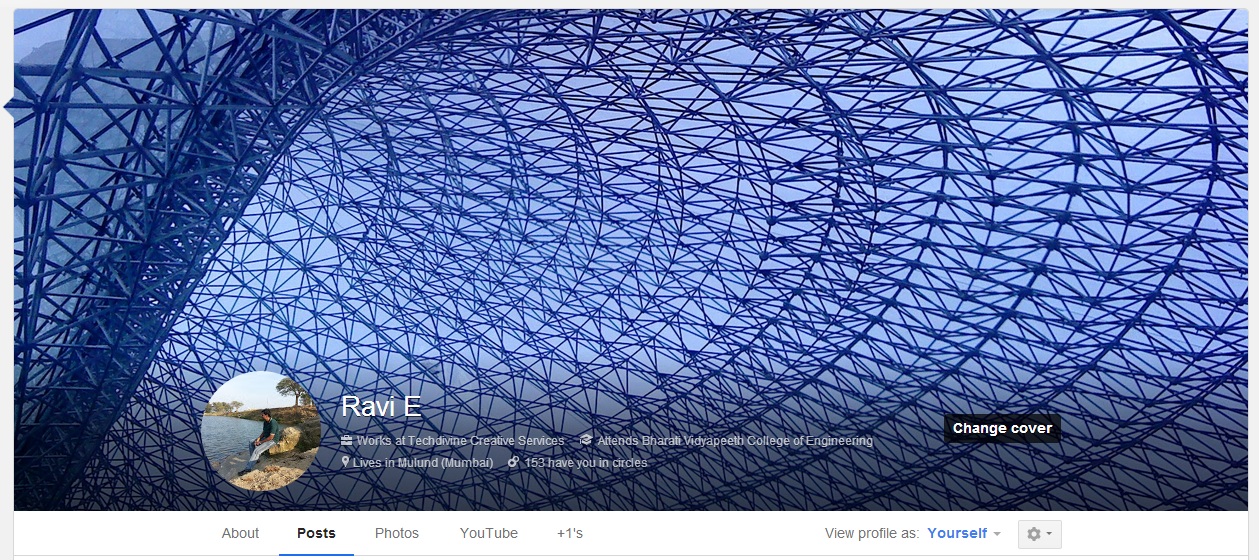
Google Plus Cover photos

Google Plus got a an update yesterday which now allows you to set a massive cover photo on your profile. The size is so huge that when you visit a profile, it occupies almost 90% of the screen space. These cover photos can be up to 2120px by 1192px in size and display in 16×9 when fully expanded. Animated gif images can also be used as cover photos adding to the fun and allowing you to be more creative.

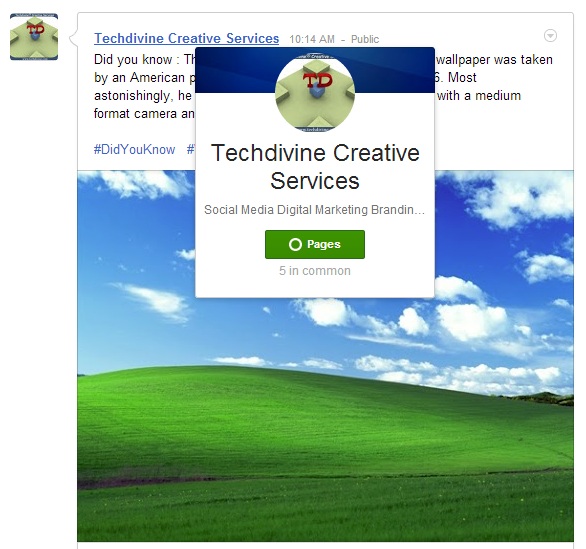
Hovercards on Google Plus

Hovering over someone’s name brings up this stylish hovercard which presents quite a bit of info about the person or page. Scrolling below the humungous cover photo on a profile, the tabs have been re-designed with a Holo-esque design which is mostly used in Android apps. “Holo” is a design theme the Android team introduced in Android 4.0 Ice Cream Sandwich. It looks like it is being applied to other Google products as well.

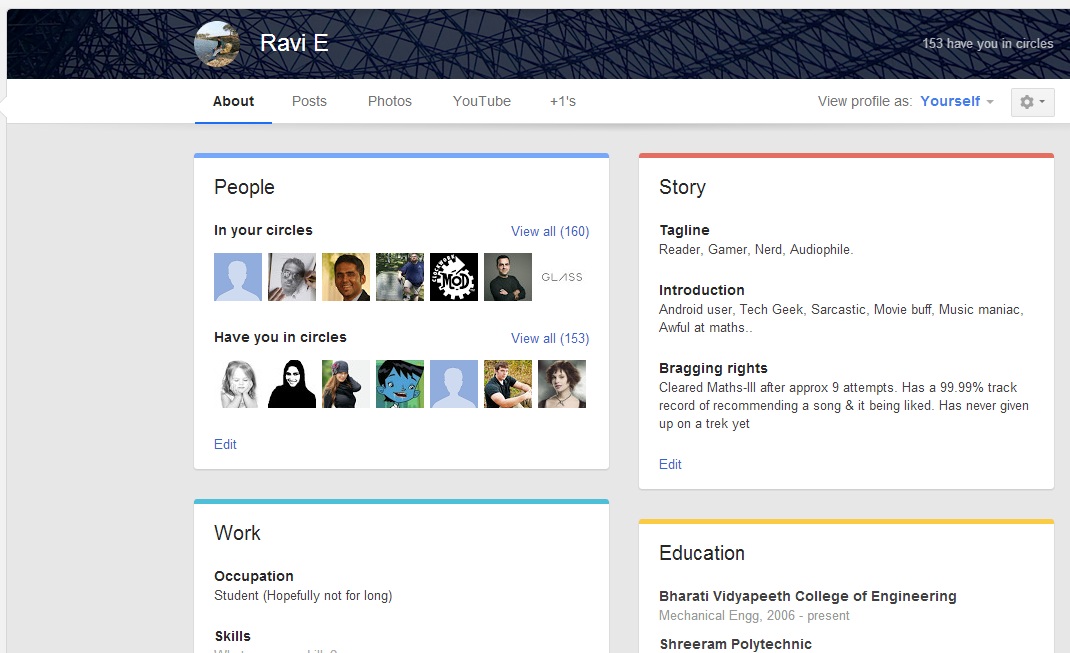
Google Plus About tab

The “About” tab has gone through some changes and has separate cards for each category like work and education. This seems a little reminiscent of the current “About” section in Facebook. But Google Plus has made it much more lively with subtle highlights in colour.

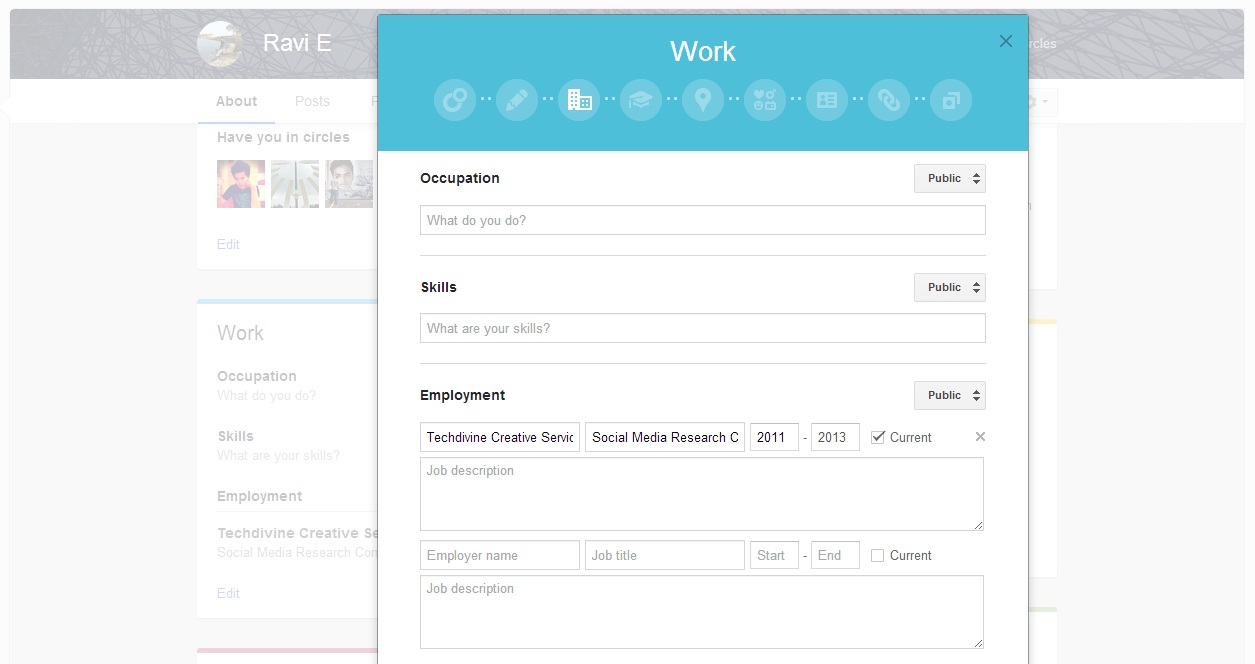
Google Plus Edit tab

Clicking on edit under any of these cards brings up this beautiful and elegant pop-up. You can click on the circles at the top to cycle through the various categories and section available and fill up the relevant info. You can also choose with which circles which of your info is being shared or set it to public if you wish.

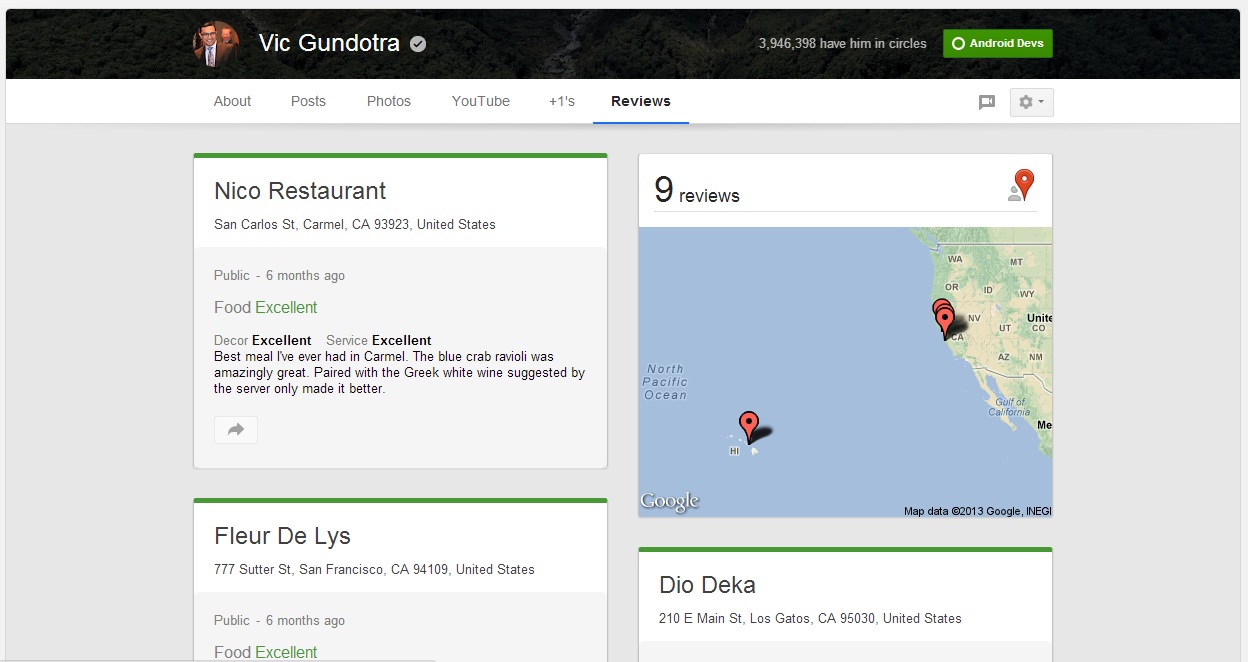
Googleplus reviews tab

In case you have written local reviews for any places, these will show up under the new “Review” tab. Please note that this tab will not be visible if you have not written any reviews.

Overall, the redesign seems to be very slick and the use of various colour hues for different tabs and sections give it a more vibrant feel. The massive cover photos might be irksome to a few users, but the excellent community of photographers on Google Plus will find it quite useful to show case their work more easily. One of them has even shared an album of his works for users to use as their cover photos. This update has arrived right on the eve of Facebook’s big announcement which many claim to be related to a new “News Feed”. Ultimately users will decide which of these two are more striking as well as productive.

What are your impressions of the new visual changes on Google Plus? Share your views with us here.

You can connect with us here – TECHDIVINE CREATIVE SERVICES on Facebook — Twitter— LinkedIn — YourSMQ on LinkedIn — Google Plus —- Slideshare — Android App.

Related Posts:

Subscribe to RSS Feed Twitter @Techdivine