Optimize the time spent on Facebook by streamlining your news feed
A lot of people complain that their Facebook news feed is now cluttered up and that they have to go through a lot of unwanted posts before finding any useful stuff. Well, Facebook has made a lot of changes of late to help you de-clutter your news feed and fortify your privacy. You can go through our previous post on simple tips to enhance your Facebook experience to pick up some nifty tricks as well. In this post, we will give out some tips on how you can get only that information which you need, from people that you want in your news feed.
1. Sort Your Friends :
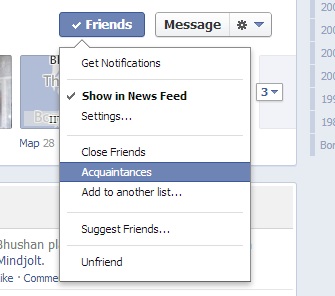
Facebook lets you sort your friends akin to Google Plus. Just go to your friends profile and move your mouse to the friends button situated next to messages. It will reveal a drop down menu where you can add that friend to close friends or acquaintances. They will not be informed of this changes. Under the settings button you can also specify what kind of updates you would like to see from them. You can set it to show all updates or only when they post statuses or photos. No more updates about games or fortune cookie apps cluttering your News feed! You can completely stop posts from a person by unticking “Show in News Feed”. This way you don’t have to unfriend anyone as well.
2. Create Groups :
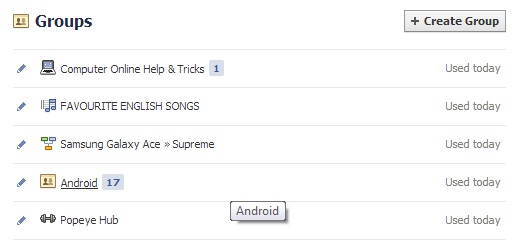
You can create groups for specific persons to share only some information with them. For example a book reading group or a group for friends who stay in your society. You can set the group visibility to secret so that no one else can see the posts made within the group. You can create groups by selecting “Create Group” in the left hand panel from your main news feed.
3. Set email alerts :
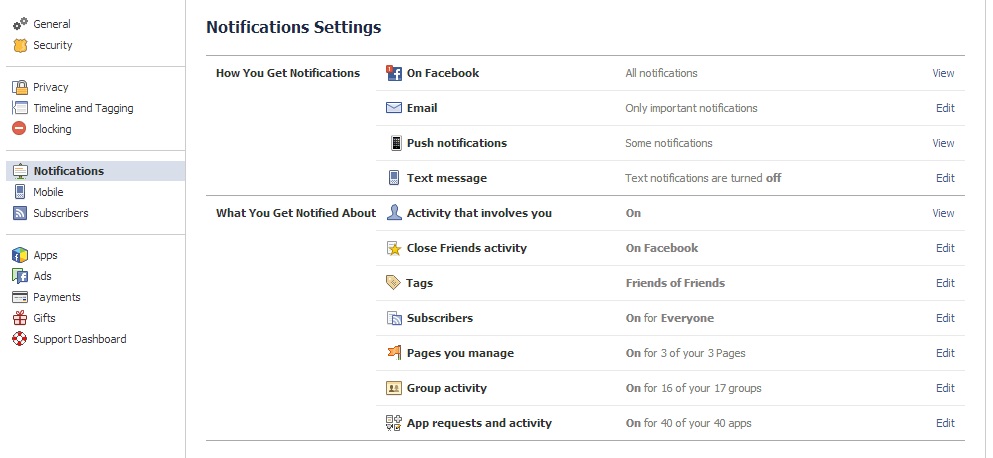
Rather than constantly checking the Facebook app on your smartphone or Tablet and draining its battery or the site on your desktop and getting distracted, set email alerts for notifications. You can do this by navigating to account settings, notifications and then manually setting what you want to be notified about and how you want to be notified. You can even opt to get text messages on your phone. This way you never miss an update and save up on valuable time too.
So these are some useful tips that should help you to streamline your news feed as per your preferences and keep abreast of your updates without having to visit the site constantly. Do you have any tips that you would like to see here? Do share these with us in the comments.
Let’s connect on social platforms with Brand Techdivine Creative Services:
- Techdivine Creative Services on Facebook
- Techdivine Creative Services on Twitter
- Techdivine Creative Services on Google Plus
- Techdivine Creative Services Website
- Your SMQ Social Media Quotient for BRANDS on LinkedIn
- Techdivine Creative Services on LinkedIn
- Your SMQ Social Media Brand Quotient Android App
- Social Media Quotient YourSMQ On SLIDESHARE
- Email: socialmedia@techdivine.com
Related Posts :