Transfer files from Android devices wirelessly with Airdroid
There might have been numerous occasions where you might have had to transfer files from a PC to your mobile device, but couldn’t because you didn’t have a USB cable at hand. Airdroid is here to change that. Airdroid is a free app for Android which helps you connect your device to your computer over a WiFi connection. All you need is the Airdroid app installed on your device and a WiFi network that both your mobile device and your computer share.
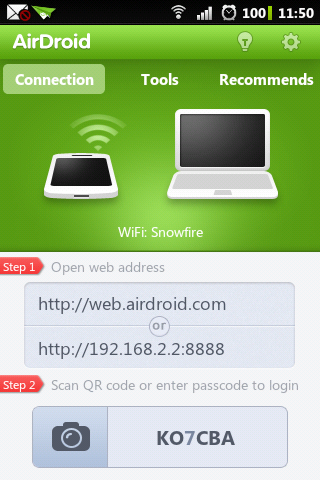
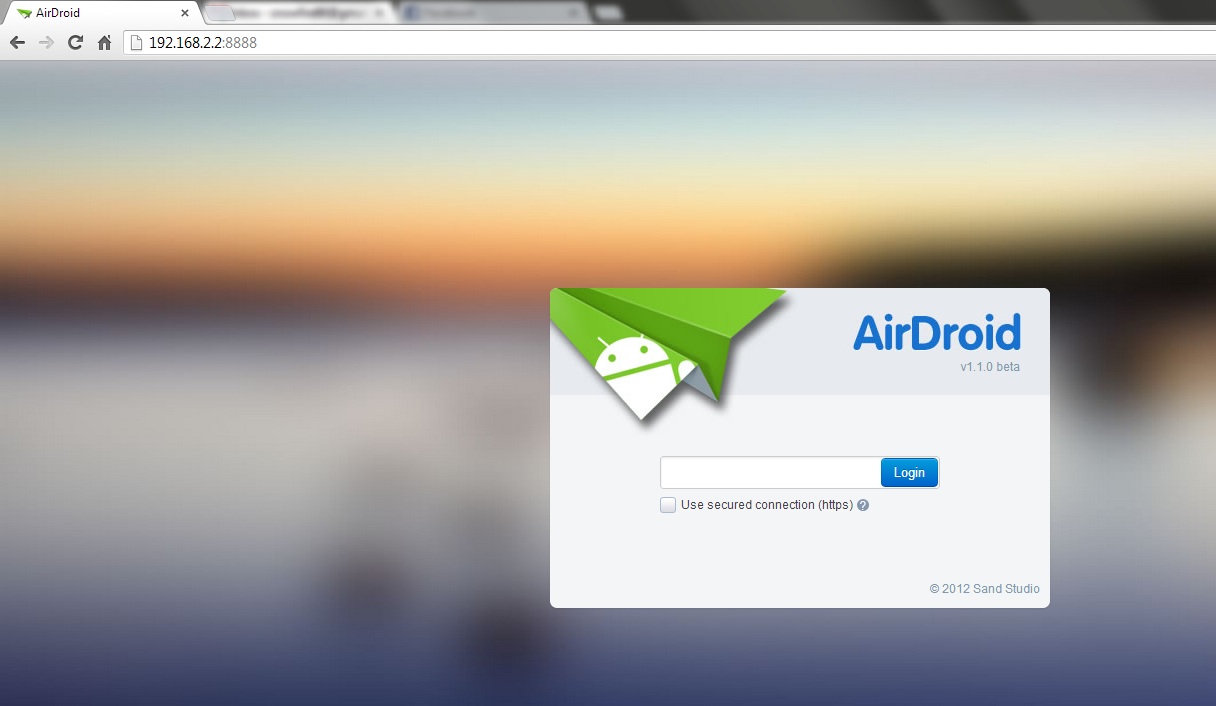
On running the app on your mobile device, you will be given a url to input into your browser. Once you have entered the url in the browser, it will load the Airdroid login page. You will then have to enter the passcode given in the app.
On successfully logging in you will find a page similar to the one shown below. Here you can find a shortcut to files, music, photos, apps, messages and other useful things.
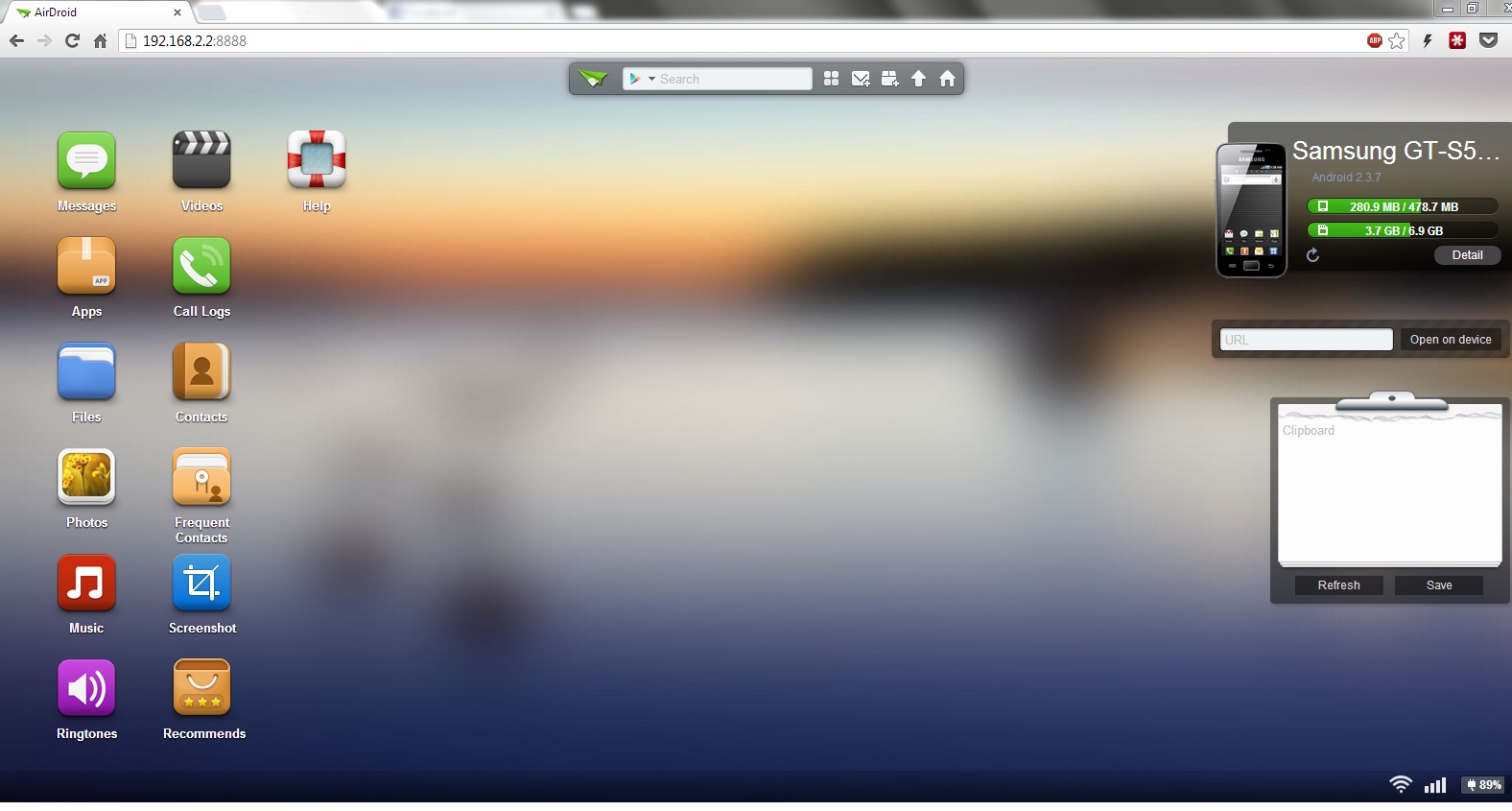
You can now click on files and browse through the various files stored on the sd card of your device. The small search bar at the top lets you search the play store for apps and also has shortcuts to upload files quickly or send messages.
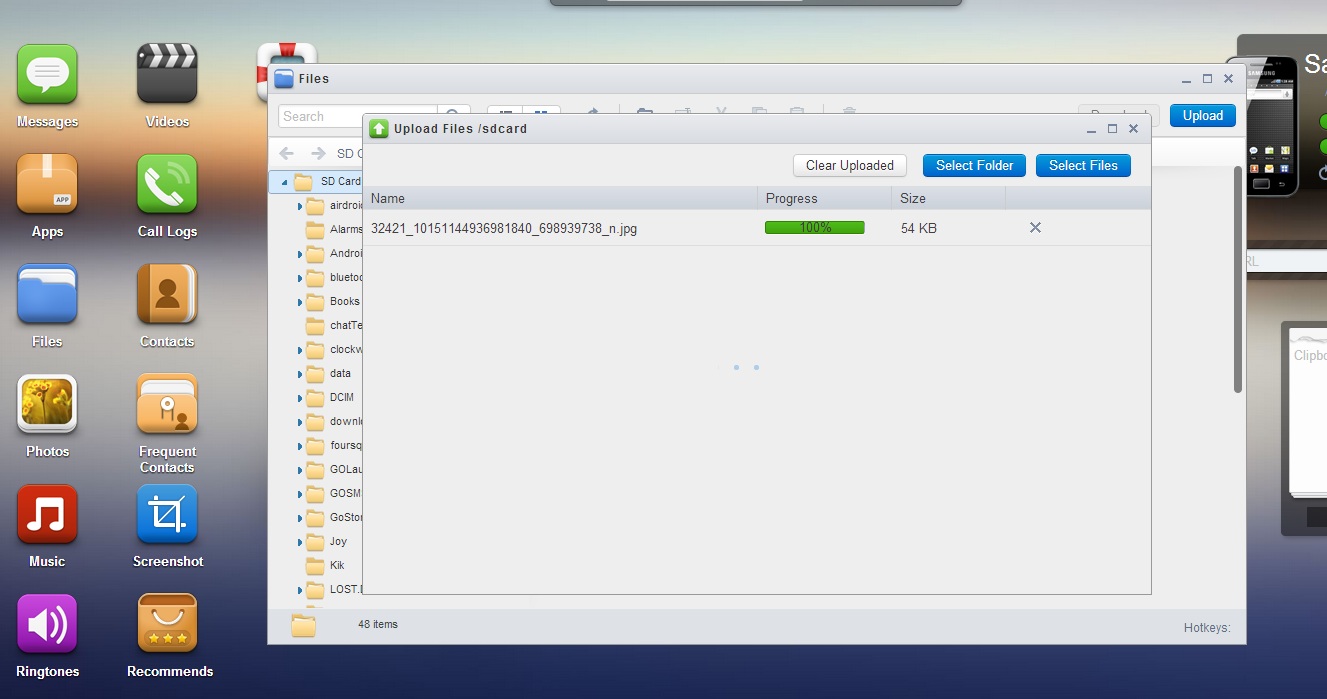
You can navigate to specific files and folders and upload and download files as you want. Files can either be dragged and dropped to upload it or you can navigate to the specific directories on your computer and then upload them.
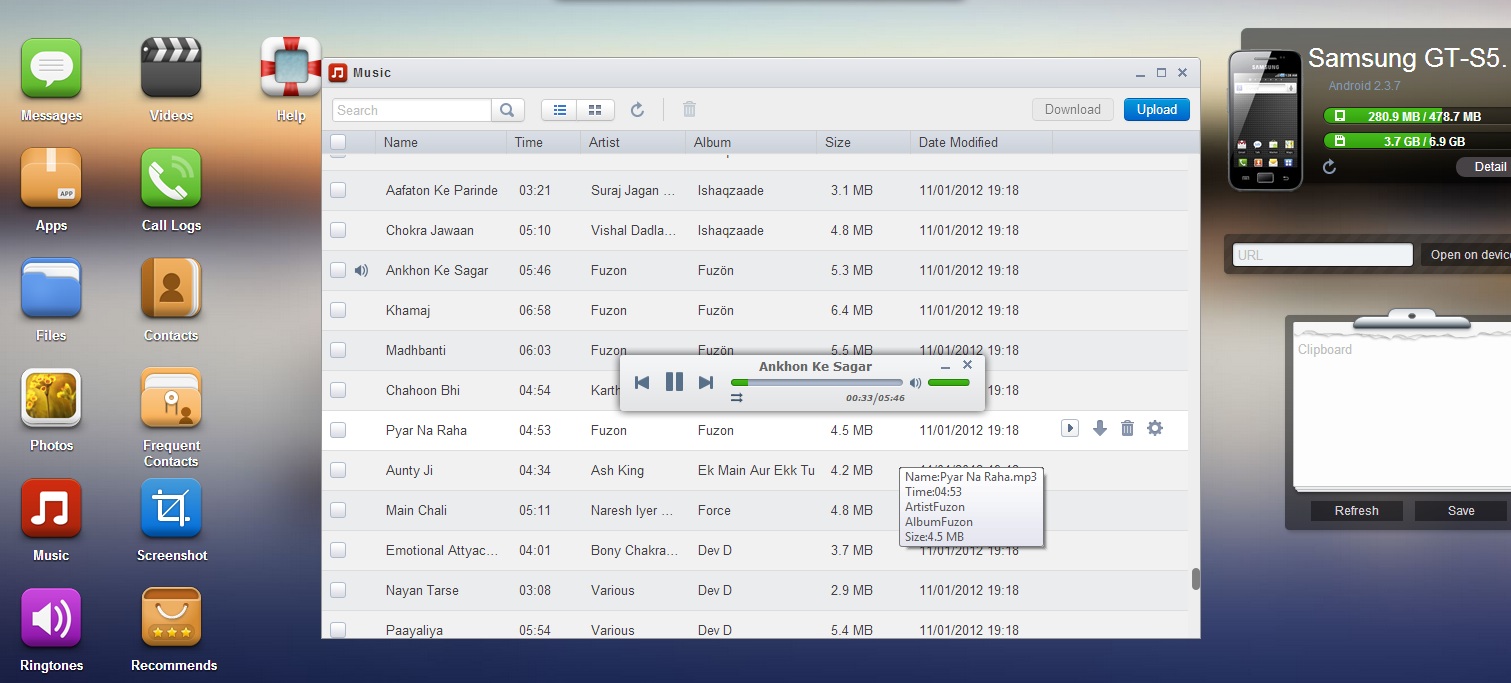
Airdroid also lets you stream music over your computers speakers. Just select the song you want to play and Airdroid will play it for you, no need for cables or cords. As it uses your wifi bandwidth and not the Internet bandwidth, there is no lag or buffering.
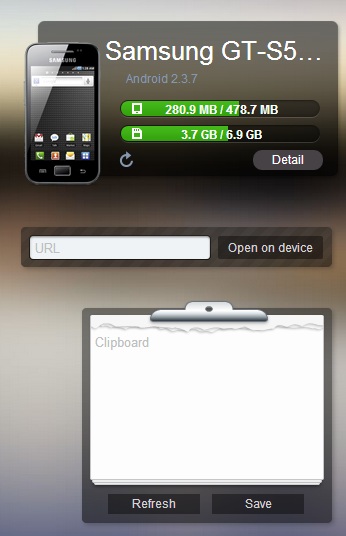
The panel on the right hand side gives a summary about the storage space on your device. There is also a small text box where you can enter any url to open on your mobile browser. Further more you can copy any content in the clipboard and save it to your phone clipboard. Suppose you read a nice quote and would like to text it to your friends but don’t want to type it all again. Just paste it in the clipboard and save it. You can then go to messages on your phone or tablet and just paste the content there and then forward it.
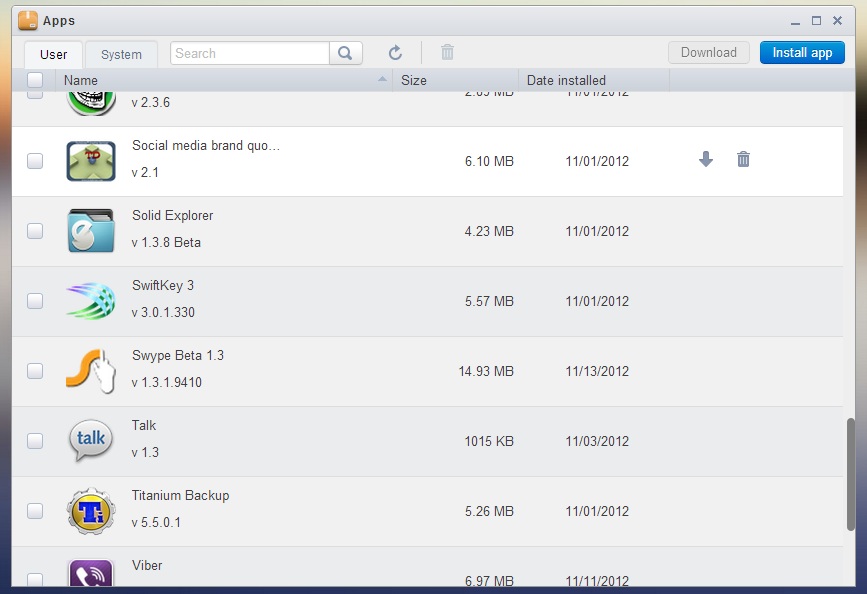
The Apps shortcut lets you browse through the installed apps on your device. You can easily uninstall any apps that you don’t need from here.
Meanwhile, Check out this Cool Android Social media brand quotient free app from team @Techdivine
Airdroid lets you take screenshots as well, but your device needs to be rooted to do that. This is a very useful app as we don’t always carry our USB cables with us. You can go to a friends place and start sharing stuff with him, he only needs to have a WiFi router and a web browser, no need to install any software.
Let us know how this app helped you out in the comments. And do share this article with your friends so that they never have to worry about carrying cords and cables again!
Download Airdroid from the Google Play Store.
SUBSCRIBE to our FEEDS Click here & Stay updated with the latest news & updates
Let’s connect on social platforms with Brand Techdivine Creative Services:
- Techdivine Creative Services on Facebook
- Techdivine Creative Services on Twitter
- Techdivine Creative Services on Google Plus
- Techdivine Creative Services Website
Top Posts :
- Tweet Interactive images on Twitter with Thinglink
- Top 5 posts this week
- The Starbucks Experience
- Mumbai Comic Con makes a big splash
- Starbucks opens their first outlet in Mumbai, in India
- Google India Event in Mumbai – Business day Event
- Top Technology News Update from Google and Apple
- World’s most powerful BRANDS list by Forbes is out